Track Social Store Trends for Coworking Spaces with Analytics Hunter
A dedicated social commerce analytics tool connects social media posts directly to retail purchases. Here is how coworking space operators use them to track day-pass sales, event revenue, and desk bookings.
In this article
- Key takeaways
- What is a social commerce analytics tool?
- Why do coworking spaces need to track social store trends?
- How does social tracking software connect with online shops?
- How do you funnel social traffic into trackable sales?
- Who should use this setup, and who should skip it?
- What is the catch?
- What are the common mistakes when tracking social commerce?
- How can you start tracking social sales today?
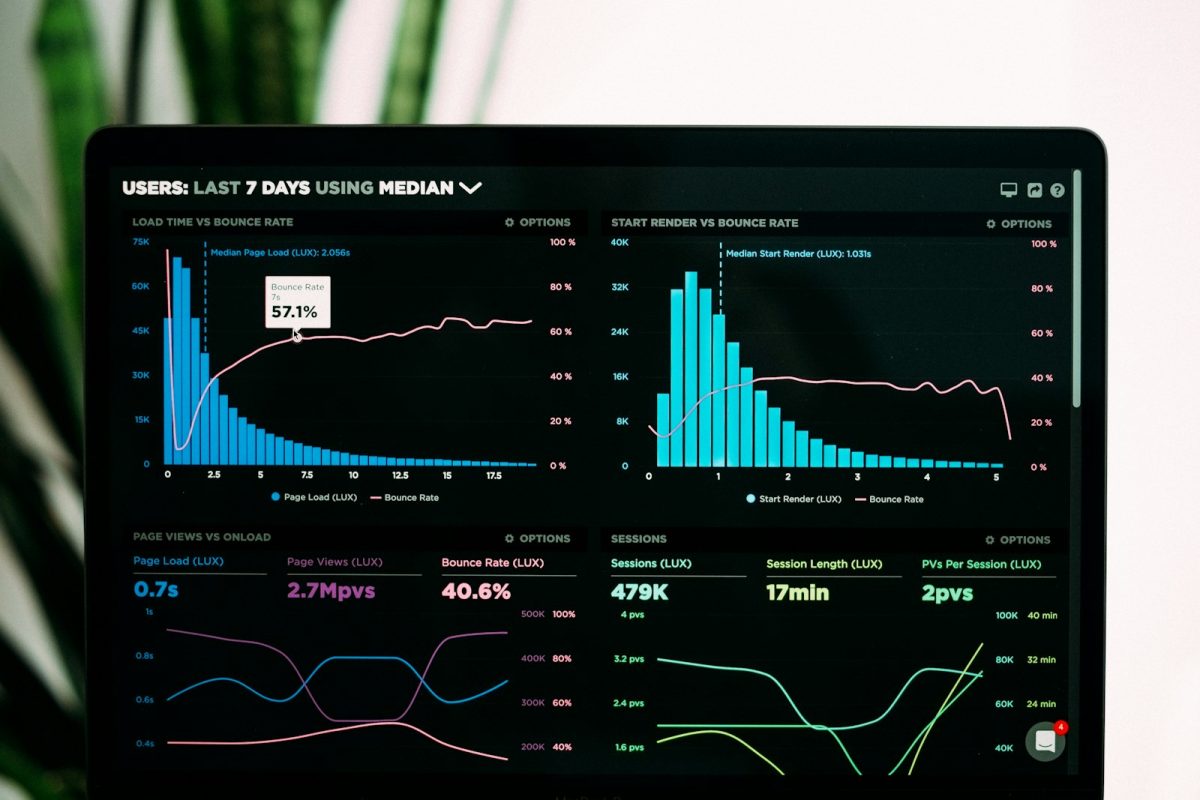
A social commerce analytics tool connects your social media accounts directly to your digital storefront so you can see which posts generate actual revenue. Instead of guessing whether an Instagram video booked a desk or sold a day pass, this software ties specific orders, items, and inventory variants straight to individual social posts, creators, and platforms.
Coworking space operators, community managers, and independent work hubs frequently sell passes, private booth hours, event tickets, and branded merchandise online. When you run social feeds to promote your physical space, a dedicated analytics engine removes the guesswork between a viral post and a completed checkout.
Key takeaways
- Social commerce analytics software attributes store transactions to specific social posts, creators, and product variants in real time.
- Tools like Analytics Hunter monitor Instagram and TikTok while linking directly into Shopify and WooCommerce stores.
- Coworking hubs can track which video tours, member spotlights, or event promos drive direct checkouts for passes and meeting rooms.
- Pair social store analytics with a flexible storefront hub like itsbio.link to route profile traffic without losing attribution.
What is a social commerce analytics tool?
A social commerce analytics tool is a reporting platform that unifies social media engagement data with e-commerce transaction data. Traditional social analytics only report surface metrics such as impressions, likes, comments, and follower growth.
Social commerce analytics tools go further by linking a specific post or video directly to a product checkout, inventory SKU, or variant. Platforms like Analytics Hunter track posts, products, and people across social networks and online stores simultaneously. The tool monitors engagement minute by minute, spots traffic spikes, and sends alerts when an individual post outperforms typical benchmarks. It operates as an Official Meta Business Partner app, tracking content across Instagram and TikTok while pulling transaction data from Shopify and WooCommerce.
Why do coworking spaces need to track social store trends?
Coworking spaces rely on foot traffic, but modern spaces sell their inventory online through self-serve portals and digital storefronts. You sell day passes, punch cards, podcast studio hours, workshop seats, and coffee subscriptions.
When your community team shares a reel showcasing your quiet phone booths, you need to know if that video produced meeting room sales or just empty views. By pairing your shop with social commerce tracking, you stop relying on gut feelings. You can see:
- Which post prompted someone to buy a 10-day flex pass.
- Which specific product variant, like a weekend pass versus a weekday pass, sells best through TikTok versus Instagram.
- Which resident member, local creator, or staff member created the post that prompted signups.
- Competitor post activity and baseline industry content trends.
How does social tracking software connect with online shops?
Social commerce tracking works through a four-step cycle that connects external visibility with backend orders:
- Connect your accounts: You authenticate your social channels (Instagram and TikTok) and connect your storefront platform (Shopify or WooCommerce).
- Real-time monitoring: The system tracks incoming posts, listed products, and posting accounts around the clock.
- Data unification: The platform reconciles social views, likes, and shares with transaction timestamps and product SKUs inside a single dashboard.
- Actionable insights: You review which content drives sales, double down on winning formats, and alert your team when a post begins to take off.
If your coworking business manages multiple brands, satellite hubs, or micro-locations, you can monitor several brands and store accounts simultaneously inside one multi-account dashboard.
How do you funnel social traffic into trackable sales?
Attribution breaks when users get lost between your profile and your checkout counter. If your Instagram profile simply points to a generic website homepage, your conversion rate drops and your attribution data fragments.
Using a customizable link-in-bio tool creates a clean shopping bridge. For example, itsbio.link gives your coworking profile a branded landing page that holds media, member application forms, event feeds, and a live store.
You can embed Spotify playlists from your hot-desk floor, stream community video tours, drop short links or QR codes for in-person front-desk visitors, and sync your Shopify or WooCommerce inventory directly onto the page. Every click, country, device, and individual block tap is logged, making it clear how visitors move from a profile visit to an online pass purchase.
| Feature / Detail | Analytics Hunter | itsbio.link |
|---|---|---|
| Primary Category | Social commerce analytics tool | Link-in-bio page and storefront builder |
| Social Integrations | Instagram, TikTok | Any social profile bio, QR codes, short links |
| Store Integrations | Shopify, WooCommerce | Shopify, WooCommerce |
| Key Function | Tracks posts, products, and creator attribution | Consolidates links, embeds, leads, and store products |
| Real-Time Data | Minute-by-minute engagement alerts and SKU tracking | Taps, clicks, country, and device analytics |
| Trial or Free Tier | 14-day free trial (no credit card required) | Free plan ($0, 1 page, 25 blocks, basic analytics) |
| Paid Pricing | Pricing available upon signup | Starter: $4/month; Business: $9/month |
| Registration | Create an account | Sign up for free |
Who should use this setup, and who should skip it?
This tracking setup is not necessary for every workspace operator.
Who it is for:
- Active community spaces: Hubs running weekly public workshops, paid mixer events, and public drop-in hours through an online store.
- Merchandise and pass sellers: Spaces selling branded desk accessories, roasted beans, or digital day passes via Shopify or WooCommerce.
- Agency-driven coworking brands: Multi-location networks that partner with local creators or agencies to run regional marketing campaigns.
- Solo creators and founders: Freelancers working out of spaces who manage an online shop and want to track their own personal brand sales.
Who should skip it:
- Spaces relying purely on long-term, 12-month dedicated enterprise office leases negotiated through brokers.
- Operators who do not sell products, passes, or tickets online.
- Teams without an active posting schedule on either Instagram or TikTok.
What is the catch?
The honest drawback is integration boundaries. A specialized tool like Analytics Hunter focuses exclusively on Instagram, TikTok, Shopify, and WooCommerce.
If your coworking space runs its desk billing strictly through legacy venue-management tools that do not connect to Shopify or WooCommerce, you cannot automatically tie sales back to your social media posts. You must route digital day passes, merchandise, or public event tickets through an accessible storefront engine to capture end-to-end attribution.
What are the common mistakes when tracking social commerce?
Tracking social commerce requires clean data habits. Avoid these three common setup errors:
- Tracking views instead of SKUs: High video views do not pay the building lease. Look specifically at which product variants sell when content circulates.
- Ignoring creator attribution: When your space partners with local business influencers or community members for co-working takeovers, track which specific person produced orders instead of grouping all incoming traffic together.
- Failing to capture mobile buyers: Most social media traffic arrives on mobile phones. If your landing destination is clumsy or slow, visitors leave. Use itsbio.link to set up a responsive mobile grid with custom domains, which takes most operators under half an hour to complete.
How can you start tracking social sales today?
You can test these tools without a major financial commitment.
To audit social revenue attribution, start a 14-day free trial on Analytics Hunter. It does not require a credit card upfront. Connect your Instagram, TikTok, and store channels to monitor which posts spark checkout activity.
To clean up your front-end profiles, claim your handle on itsbio.link. You can stay on the free plan for $0 to use 25 blocks and basic analytics, or pick the Starter plan at $4 per month for custom domains and tracking pixels, or the Business plan at $9 per month for full e-commerce support across 50 pages.
Connecting these two components gives your coworking space a transparent marketing pipeline: you attract local professionals on social media, route them smoothly through your bio page, and know the exact post that turned a browser into a paying member.
Frequently asked questions
What is a social commerce analytics tool?
How does social commerce analytics work for a coworking space?
Which platforms does Analytics Hunter connect with?
Can you track influencer or community member sales?
How much does a social commerce analytics tool cost to try?
Sources and further reading
- Analytics Hunter analyticshunter.com
- itsbio.link itsbio.link
- Create an account app.analyticshunter.com
- Sign up for free itsbio.link